
Go to application.uni-ak.ac.at. The portal is only open during each programme's application period. Check dates at dieangewandte.at/academic_calendar and on your programme page (Language Arts usually opens earlier).
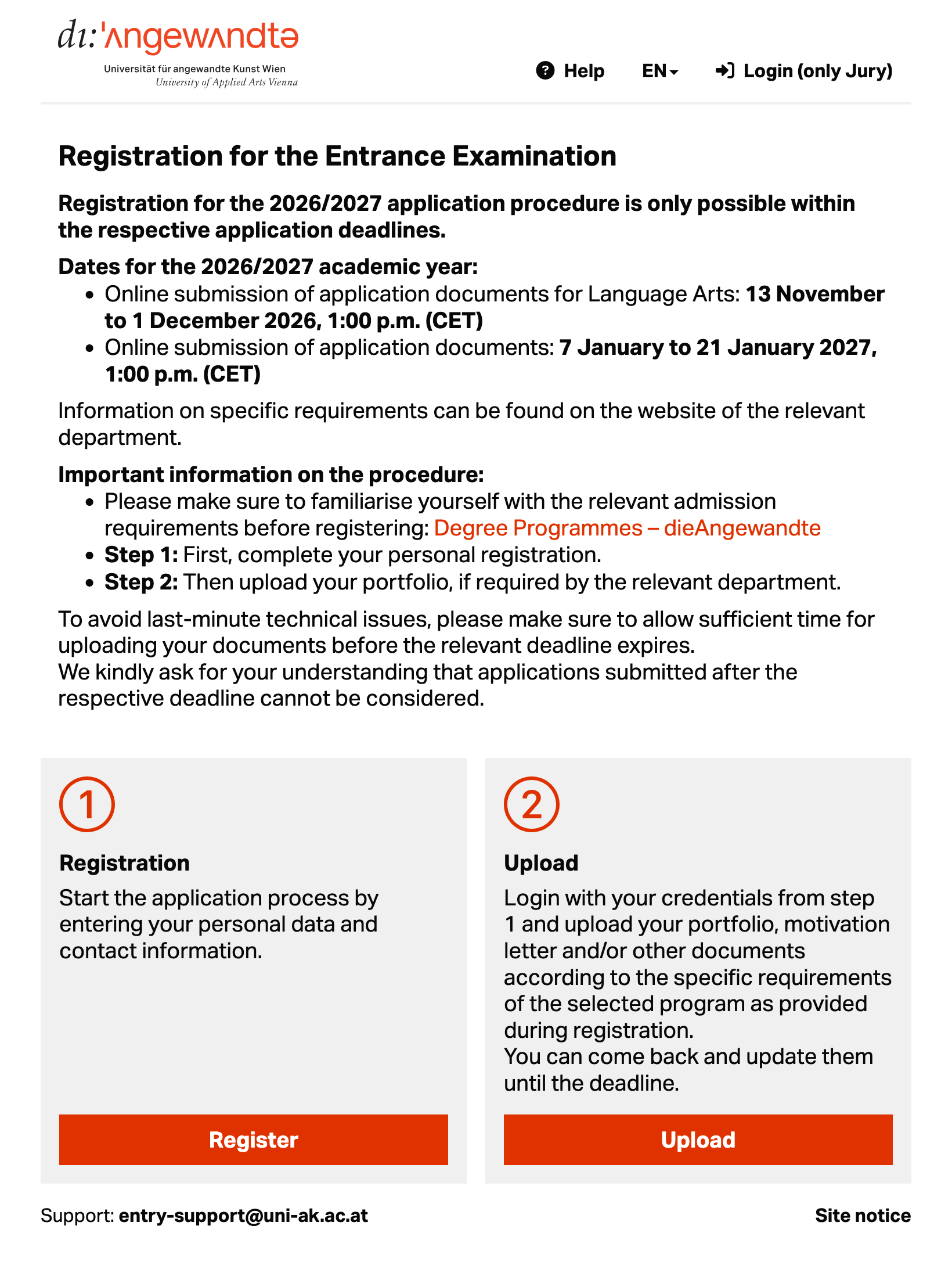
Click Register. Complete every field with a red asterisk exactly as in your passport and Meldezettel (in case you have already a residency address in Austria, otherwise enter your home address). Enter your address exactly as on your Meldezettel; otherwise, you will get errors.
Tip: if you get a validation error, check for accidental extra spaces before/after words and remove them. Use only the Latin alphabet for names and file names; avoid special characters and accents (e.g., á). Capitalize the first letter in names.
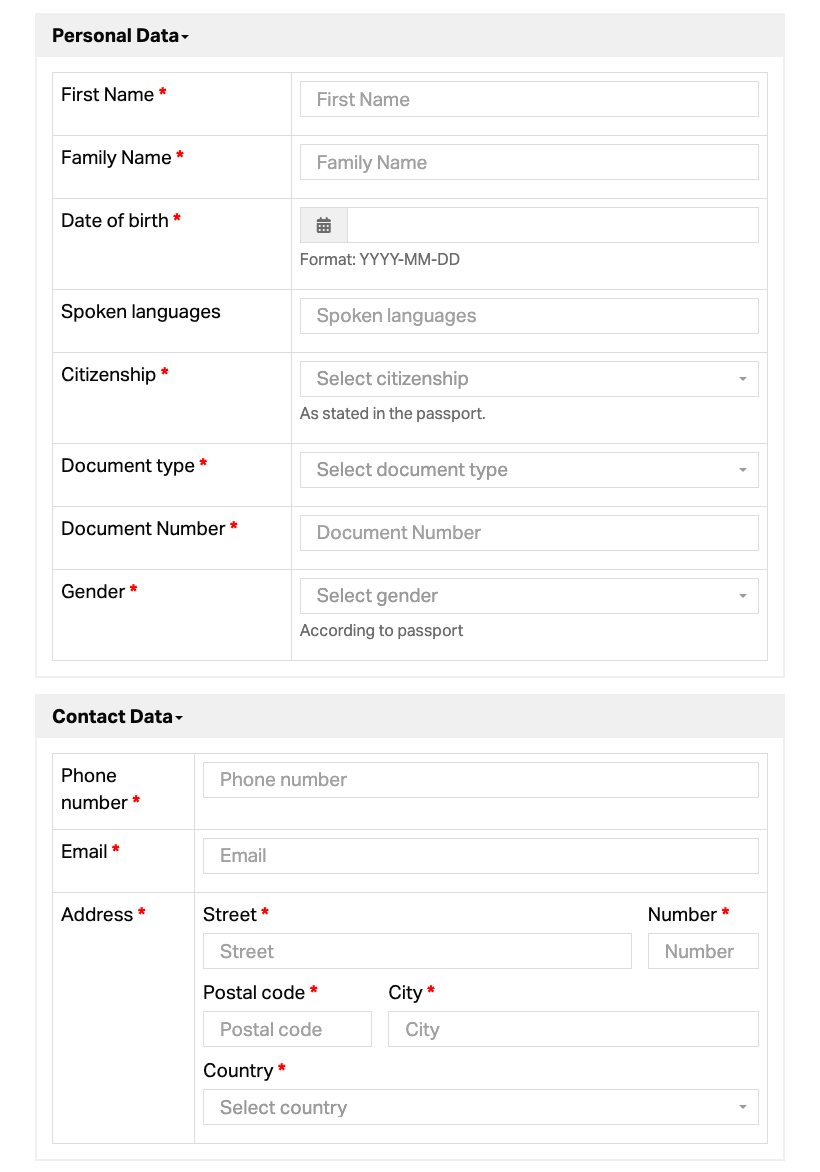
Upload a photo of the applicant and an image of your passport/ID (JPG/PNG; JPEG preferred for photos). Tick the required consent checkboxes (Exam Regulations and Use of Personal Data, Declaration of Authorship, Terms of application, Disability Support). Click Save to complete registration.
Your username (your email address) and a generated password are shown on the web page after saving. Copy and store them securely. These login credentials are also sent to you by email.
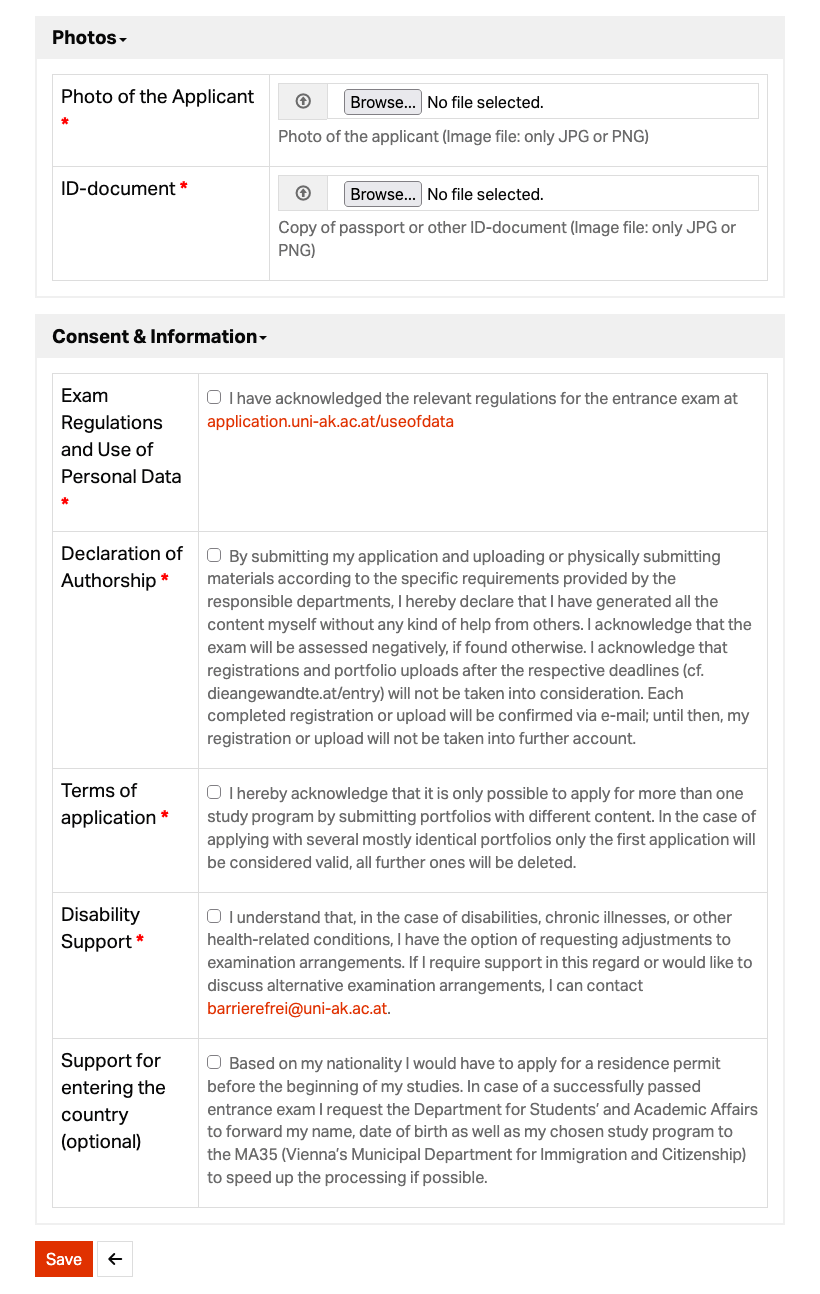
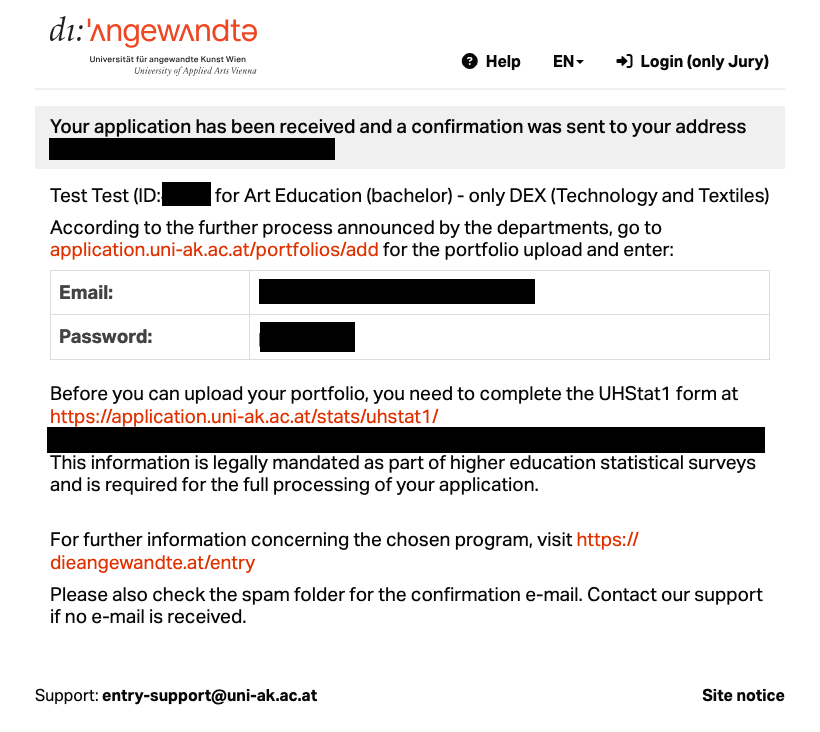
You may see a message that you must complete the UHStat1 form before you can upload your portfolio. UHStat1 is a mandatory survey by Statistik Austria for new students at universities in Austria. From 2025/26 you fill it out at the university (not on Statistik Austria's website). Who must fill it out?
On the start page click Upload, sign in with the username/password you received, and upload ONE file only: merge all materials into a single PDF ≤ 50 MB. New uploads overwrite previous ones. Use simple file names (e.g., “portfolio.pdf”); Latin alphabet only; no special characters or accents.
After your portfolio uploads successfully, you will receive a confirmation email. If you do not receive it, check your spam/junk folder; otherwise contact entry-support@uni-ak.ac.at.
In the last days of the deadline, high traffic can overload the system – apply as early as possible to avoid stress and unexpected issues.
Only during each programme's application period. See dieangewandte.at/academic_calendar and your programme page (Language Arts typically opens earlier). Near the end of the deadline, high traffic can overload the system. Please apply early.
All fields marked with a red asterisk * are mandatory. Enter your personal data exactly as in your passport and your address exactly as on your Meldezettel; otherwise, errors occur. If you can't proceed, remove accidental extra spaces before/after words.
UHStat1 is Statistik Austria's mandatory survey for new students. From 2025/26 it is completed at the university. Required for first-time entrants, institutional changers/new starters, and Bachelor graduates starting a Master's.
After you click Save in Registration, the page shows your login (username = your email address; a system-generated password), and these credentials are also emailed to you. The confirmation email for your application is sent only after your portfolio has been uploaded successfully. If you don't receive it, check spam/junk; otherwise contact entry-support@uni-ak.ac.at.
Yes. However, you must use a different email address for each programme/class. Any email address previously used for an application cannot be used again (even from last year).
No. Do not send documents by email; they will not be accepted. Submit all materials via the Application Tool. If you encounter issues, contact entry-support@uni-ak.ac.at.
Upload ONE PDF only, up to 50 MB. New uploads overwrite previous ones. Keep file names simple (e.g., “portfolio.pdf”); Latin alphabet only; no special characters or accents.
Export with higher compression, reduce image DPI (150–200), remove unnecessary pages. Ensure a single PDF ≤ 50 MB, no password, simple file name. Try another browser/network, clear cache, wait 60 seconds and refresh. Even just under the MB limit some files may fail – compress again and retry.
Applicant photo and ID: JPEG (preferred) or PNG. Portfolio: single PDF only (≤ 50 MB).
Only programmes currently open for registration appear. Check dates on the programme page and at dieangewandte.at/academic_calendar.
Choose “foreign post secondary education”.
Use the latest Chrome, Firefox, Safari, or Edge on desktop/laptop for best results.
Consult the respective department's programme page: dieangewandte.at/programmes. Language and educational background requirements are listed next to each programme. For questions about February exams, contact the study department directly.